My Progress counts: two-level approval workflows
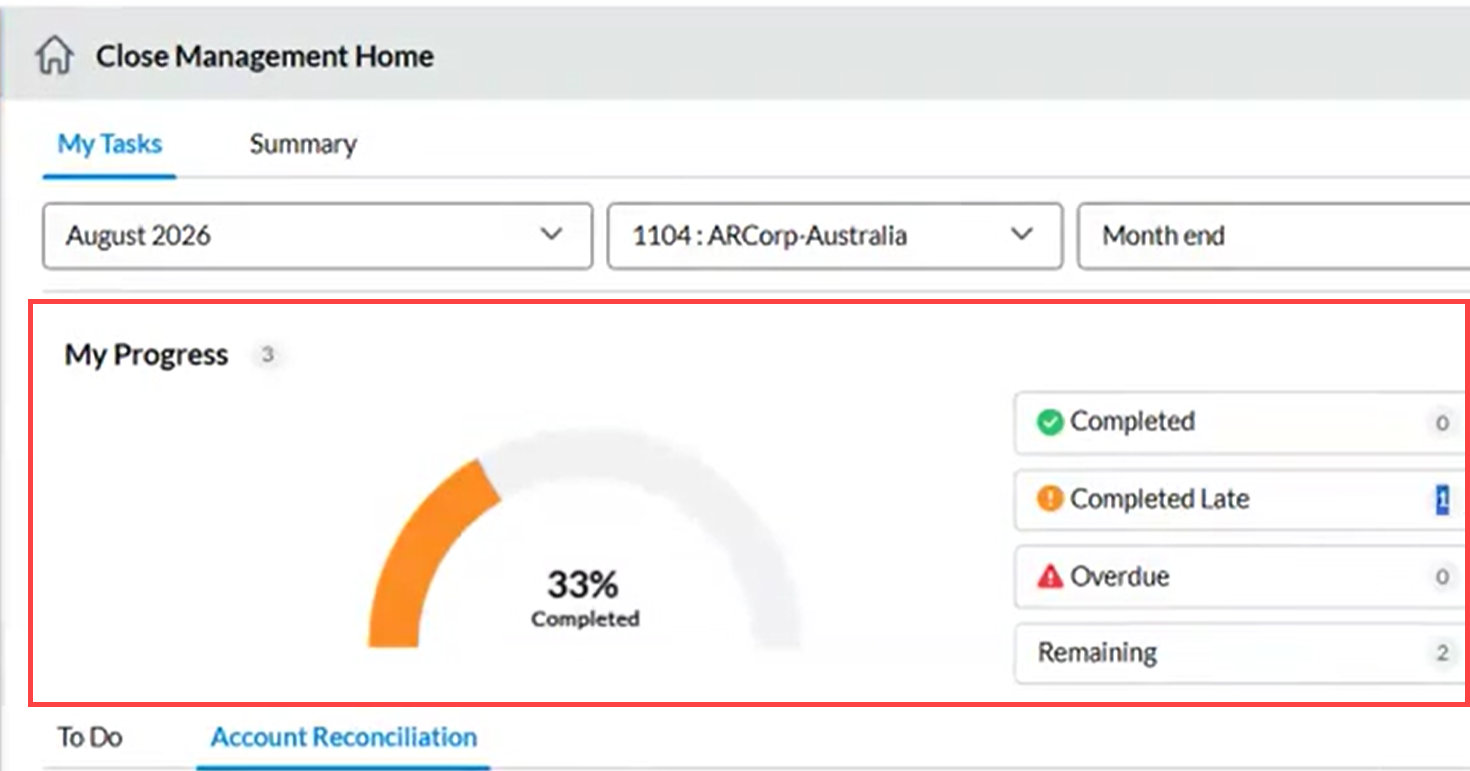
In a two-level approval workflow, a task moves from the Preparer to the Approver and then to the Approver 2. The My Progress counts on the dashboard show how your work is progressing, based only on your own role. Each role has its own due date, so one person’s timing never changes another person’s counts.
This article is intended for Preparers, Approvers, and Approvers 2 who work on Account Reconciliation tasks in a two-level approval workflow.
How your counts are calculated
Each task has three separate due dates:
-
Preparer due date
-
Approver due date
-
Approver 2 due date
Your counts depend only on the due date for your role. The Preparer due date must be on or before the Approver due date, and the Approver due date must be on or before the Approver 2 due date.
Because each role has its own counts, the same task can appear in different categories on different dashboards at the same time.
Tasks waiting on you are counted as Remaining until your due date passes, and as Overdue after that
The dashboard uses the task status, your due date, and the date you last acted on the task. The current task status alone does not decide the count.
Count categories
| Category | Meaning |
|---|---|
|
Completed |
You acted on the task on or before your due date. |
|
Completed Late |
You acted on the task after your due date. |
|
Overdue |
The task is waiting for your action, and your due date has passed. |
|
Remaining |
The task is waiting for your action, and your due date has not passed. |
Preparer counts
A task counts as Completed or Completed Late once you submit it, based on whether you submitted it on or before your due date. If the task is later rejected by the Approver or Approver 2, your completed count for that submission does not change.
| Task status | Your due date | Count |
|---|---|---|
|
Not Started, In Progress, or Rejected |
Not passed |
Remaining |
|
Not Started, In Progress, or Rejected |
Passed |
Overdue |
|
Pending Approval or Completed |
You submitted on or before the due date |
Completed |
|
Pending Approval or Completed |
You submitted after the due date |
Completed Late |
A task rejected to you is treated the same way whether the Approver or the Approver 2 rejected it.
Approver counts
Forwarding a task to Approver 2 and rejecting a task both count as taking action. The task is then counted as Completed or Completed Late based on your due date.
| Task status | Your due date | Count |
|---|---|---|
|
Pending Approval |
Not passed |
Remaining |
|
Pending Approval |
Passed |
Overdue |
|
Pending Approval-2, Rejected, or Completed |
You acted on or before the due date |
Completed |
|
Pending Approval-2, Rejected, or Completed |
You acted after the due date |
Completed Late |
Approver 2 counts
Approving a task, rejecting it to the Approver, and rejecting it to the Preparer all count as taking action. The task is then counted as Completed or Completed Late based on your due date.
| Task status | Your due date | Count |
|---|---|---|
|
Pending Approval-2 |
Not passed |
Remaining |
|
Pending Approval-2 |
Passed |
Overdue |
|
Completed or Pending Approval |
You acted on or before the due date |
Completed |
|
Completed or Pending Approval |
You acted after the due date |
Completed Late |
New review cycles
If a task returns to you after a rejection (for example, if the Approver 2 rejects it to the Approver), a new cycle starts with your original due date. Your earlier completed count for the previous cycle does not change.
-
A new cycle starts, and the task is added to your Remaining or Overdue count.
-
Your result from the earlier cycle stays in your history and does not change.
-
Your due date does not reset. The original due date for your role still applies
Example
The task "Reconcile October Bank Statement" has these due dates:
-
Preparer, 5 October;
-
Approver, 10 October;
-
Approver 2, 15 October.
| Date | What happens | Preparer | Approver | Approver 2 |
|---|---|---|---|---|
|
1 Oct |
The task is assigned to the Preparer. |
Remaining |
Not in queue |
Not in queue |
|
4 Oct |
The Preparer submits the task. |
Completed |
Remaining |
Not in queue |
|
11 Oct |
The Approver has not acted. |
Completed |
Overdue |
Not in queue |
|
12 Oct |
The Approver forwards the task. |
Completed |
Completed Late |
Remaining |
|
16 Oct |
The Approver 2 has not acted. |
Completed |
Completed Late |
Overdue |
|
17 Oct |
The Approver 2 rejects the task to the Preparer. |
Overdue (new cycle) |
Completed Late |
Completed Late |