Process single source transaction matching
Use this process to match transactions within a single data source by completing an assigned Single Source Transaction Matching task. The system groups transactions that offset each other so the total equals zero.
Open the task
-
Go to
 ..
.. -
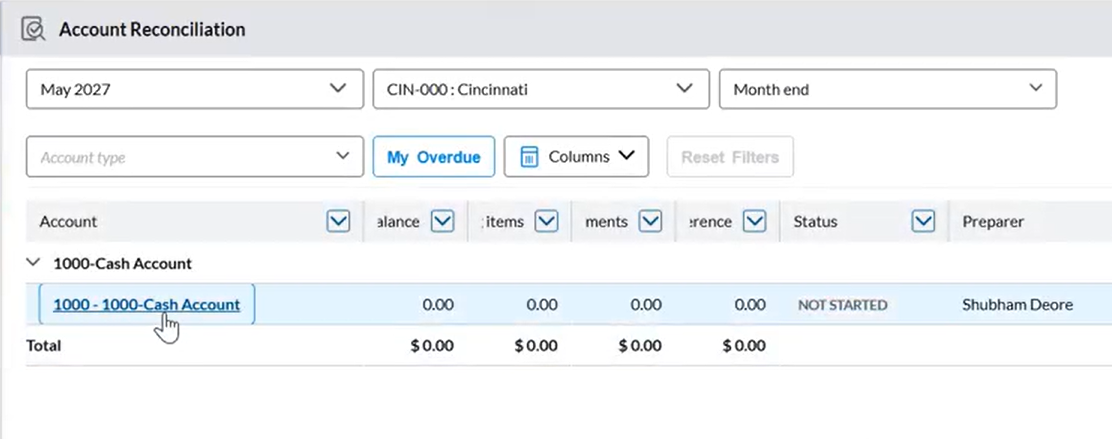
In the task list, locate the assigned task.
-
Click the task name. The Import Data page displays.
Import transactions
-
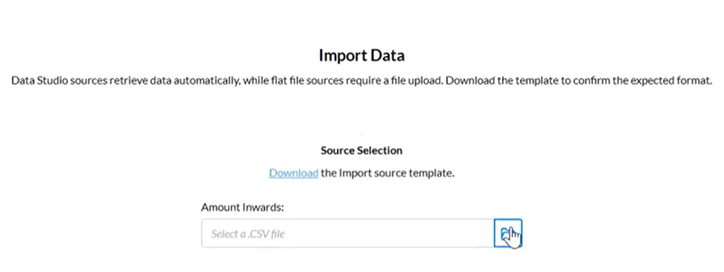
On the Import Data page, click the Download link to obtain the import template.
-
Enter your data into the template and save the file.
-
Click Browse.
-
Select the transaction file.
-
Click
 . The transaction file is uploaded.
The system:
-
Scans all transactions in the selected transaction set
-
Identifies offsetting entries
-
Creates matched groups that net to zero
-
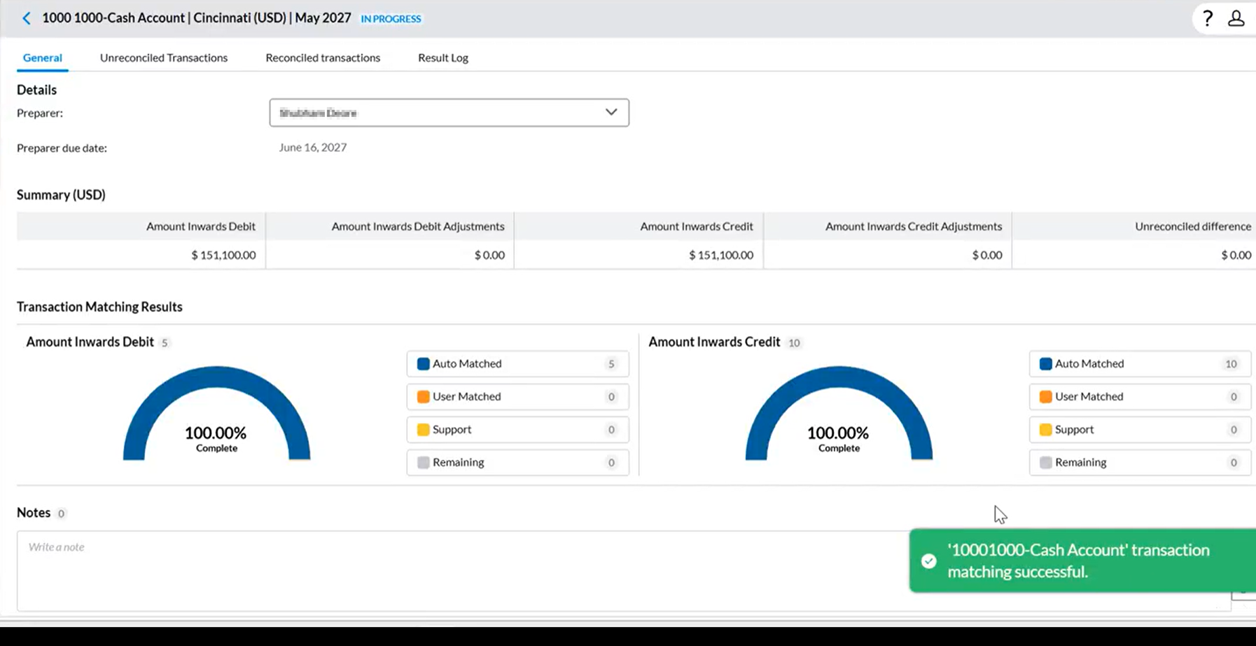
Displays the transaction match result in the General tab.
-
Review matches
Reconciled transactions
-
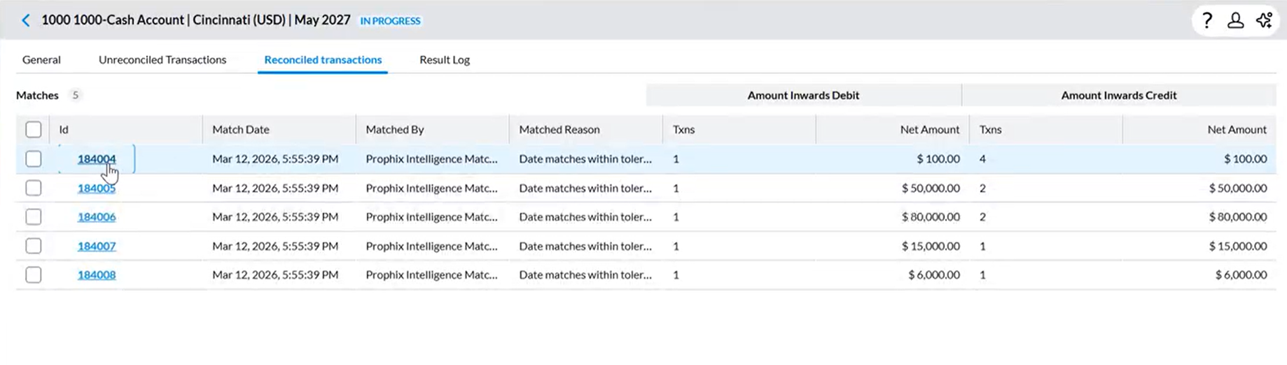
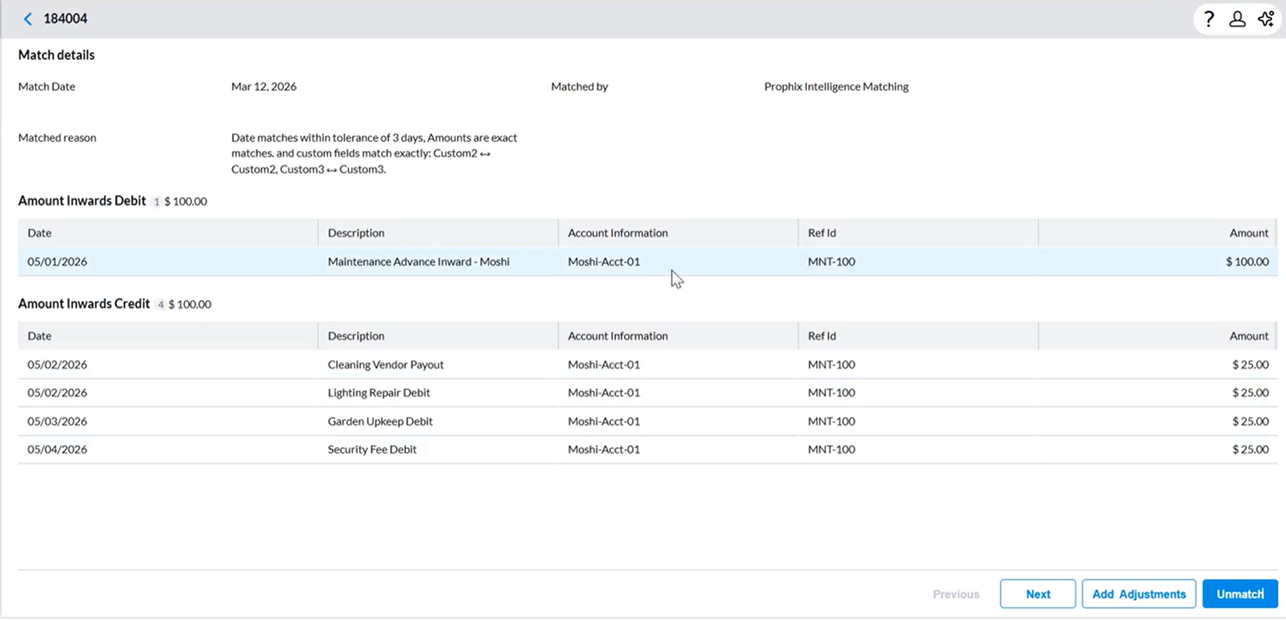
Navigate to the Reconciled transactions tab to view more details including Matched reasons and the number of matched transactions.
-
Click on an Id to navigate to Match Details.
-
Verify:
-
Net total equals zero
In this example
-
Debit total: One Maintenance Advance Inward = $100.00
-
Credit total: Related expenses (4 transactions × $25.00 each) = $100.00
When these amounts are combined:
-
$100.00 (Debit) − $100.00 (Credit) = $0.00
These entries offset each other exactly, resulting in a net total of zero.
-
-
Key fields (Reference ID, Date, Amount)
-
Unreconciled transactions
-
Navigate to the Unreconciled transactions tab.
-
Review remaining transactions,
-
To manually reconcile them, refer to Handle unmatched transactions.
Re-import transactions
Use re-import when you need to replace or update existing data.
-
In the Unreconciled transactions tab, click
 .
. -
Select Reimport.
-
Upload a new file. The system accepts a single source file.
Reset matching
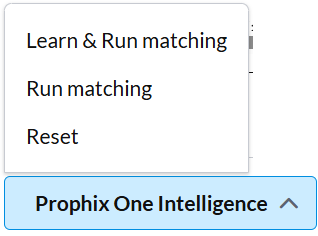
Use reset to clear all matching results and start over.
-
In the Unreconciled transactions tab, click
 .
. -
Select Reset.
-
Re-import the transaction file.
-
Run matching again.