Custom Thresholds, available in Model Settings under the Prophix One Intelligence (POI) drop-down, lets administrators define the acceptable difference in amount and date to control how closely transactions must match.
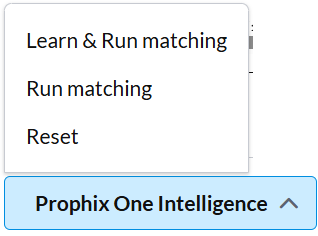
Transaction matching thresholds
When setting up transaction matching, admins can enable custom thresholds to improve accuracy and flexibility. By default, thresholds are disabled.
-
Absolute Thresholds: Define a fixed amount difference allowed between transactions.
Example:Setting an amount threshold of 0 requires an exact match on both date and amount.
If set to 10, transactions within $10 will be considered matches.
-
Percentage Thresholds: Define acceptable percentage differences between transaction amounts.
-
Date Thresholds: Allow matches within a specified number of days.
Example: A 4-day threshold matches transactions even if dates differ by up to 4 days.
When thresholds are applied, the system provides a clear reason for each match (e.g., “dates within 4 days” or “amounts within 10%”).
Set custom thresholds
-
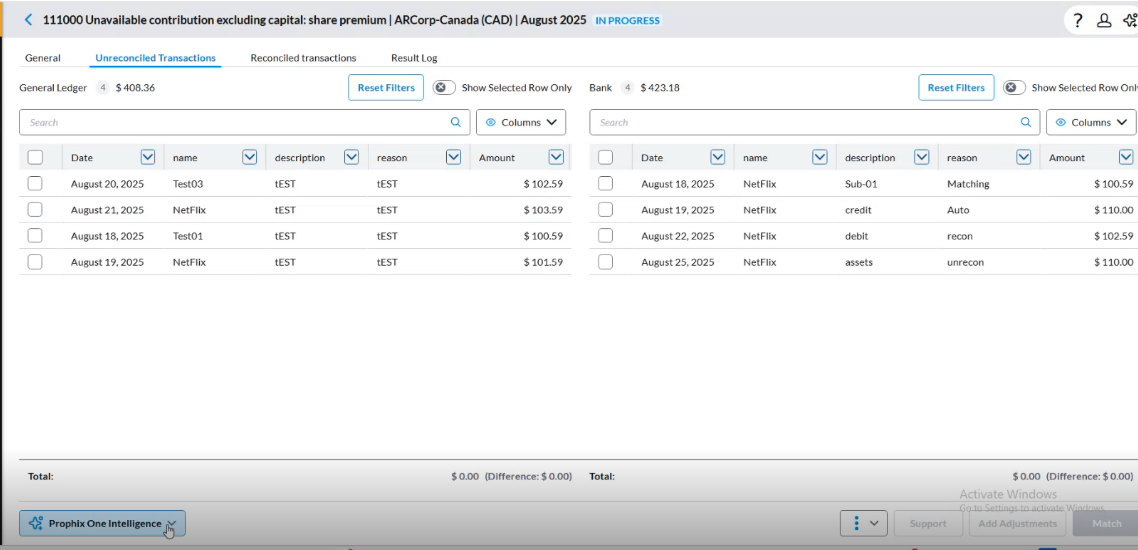
Navigate to Unreconciled Transactions .
-
Click
 .
. -
Select Model Settings.
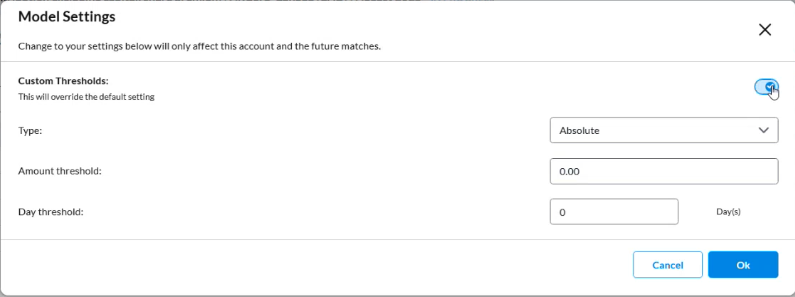
-
Toggle the Custom Thresholds button to enable custom thresholds. By default, thresholds are disabled.
-
In the Type field, choose Absolute or Percent.
-
Enter amount (for Absolute) or percentage value (for Percent).
-
In the Date field, specify the number of days within which the threshold is allowed.
Example:-
Type: Absolute
-
Amount threshold: $5
-
Day threshold: 0 (exact date required)
-
-
Click OK
-
Click
and select Run Matching.The Result of transaction matching for this example:
-
Transaction A = $100 on Aug 20
-
Transaction B = $103 on Aug 20: Matched (within $5, same date)
-
Transaction C = $108 on Aug 20: Not matched (difference is $8)
-
Transaction D = $100 on Aug 21: Not matched (date mismatch, even though amount fits threshold)
-
Examples of threshold matching
-
Absolute Threshold (Amount = $10, Days = 0)
-
A transaction with $100 will match with $90 or $110 if the dates are the same.
-
If multiple matches are possible, the system matches the first one.
-
-
Percentage Threshold (10%)
-
A transaction of $200 can match with another transaction up to $220 (10% higher) or down to $180 (10% lower).
-
-
Date Threshold (Days = 4, Amount = $10)
-
A transaction dated Aug 20 will match with transactions on Aug 21, Aug 22, or Aug 25 (within 4 days).
-
The system shows the reason: “Dates are within 4 days and amounts are within 10.”
-
Enable/Disable custom thresholds
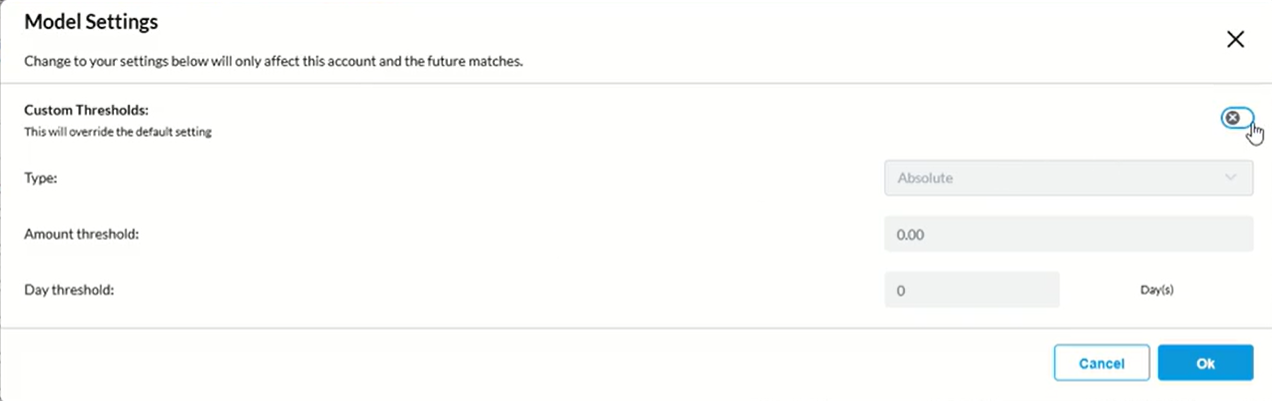
When you turn on Custom Thresholds, the system applies your defined values instead of its learned matching model.
Note: Enabling Custom Thresholds disables the Learn and Run Matching option in the Prophix One Intelligence drop-down. If you want to use Learn and Run Matching, leave Custom Thresholds turned off.
These two settings interact as follows:
|
|
| Custom Thresholds off (default) Learn and Run Matching is available in the POI drop-down. The system uses its learned mode to perform matching. | Custom Thresholds on: Learn and Run Matching is disabled in the POI drop-down. When Custom Thresholds is turned on, the Amount Threshold and Day Threshold fields are activated in Model Settings, and the system applies your defined thresholds instead of the learned model. The Learn and Run Matching option is unavailable when Custom Threshold is active. Tip: To re-enable Learn and Run Matching, turn off Custom Thresholds, and click OK. |