Release Notes
2025.11.1
November 2025
Release notes describe the enhancements and bug fixes contained in new releases and maintenance releases.
Tip: To find the release note that contains a specific issue, search on the Prophix Support Desk ticket number.
What’s new
Enhanced feedback experience
This release introduces an improved way for clients to share product feedback directly within the application. The Product Feedback link in the  Help menu has been updated to direct users to the new Pendo feedback forum.
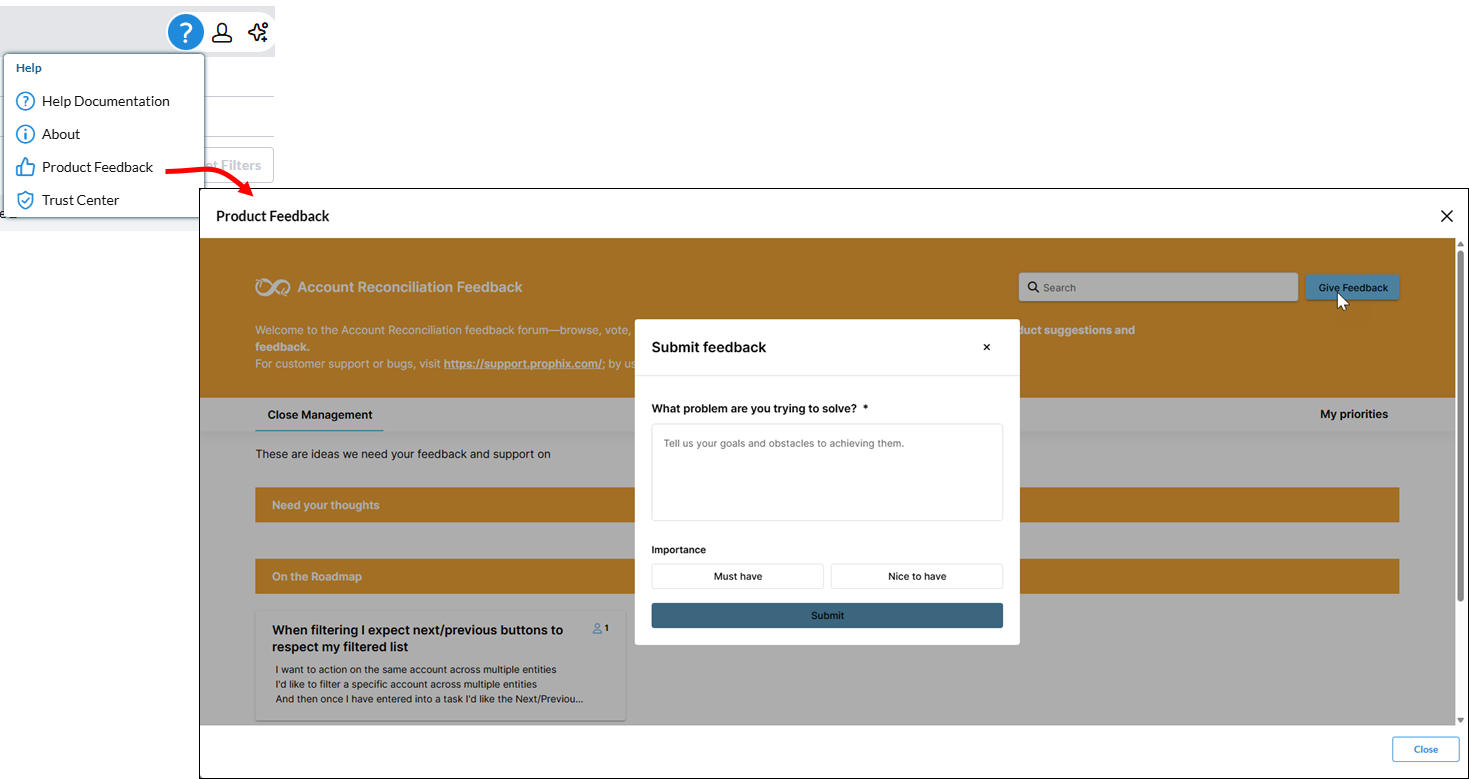
Clients can now submit ideas and feedback without leaving the Prophix platform, no separate login required. Access is instant, with no wait times or manual approvals.
Access to the Trust center
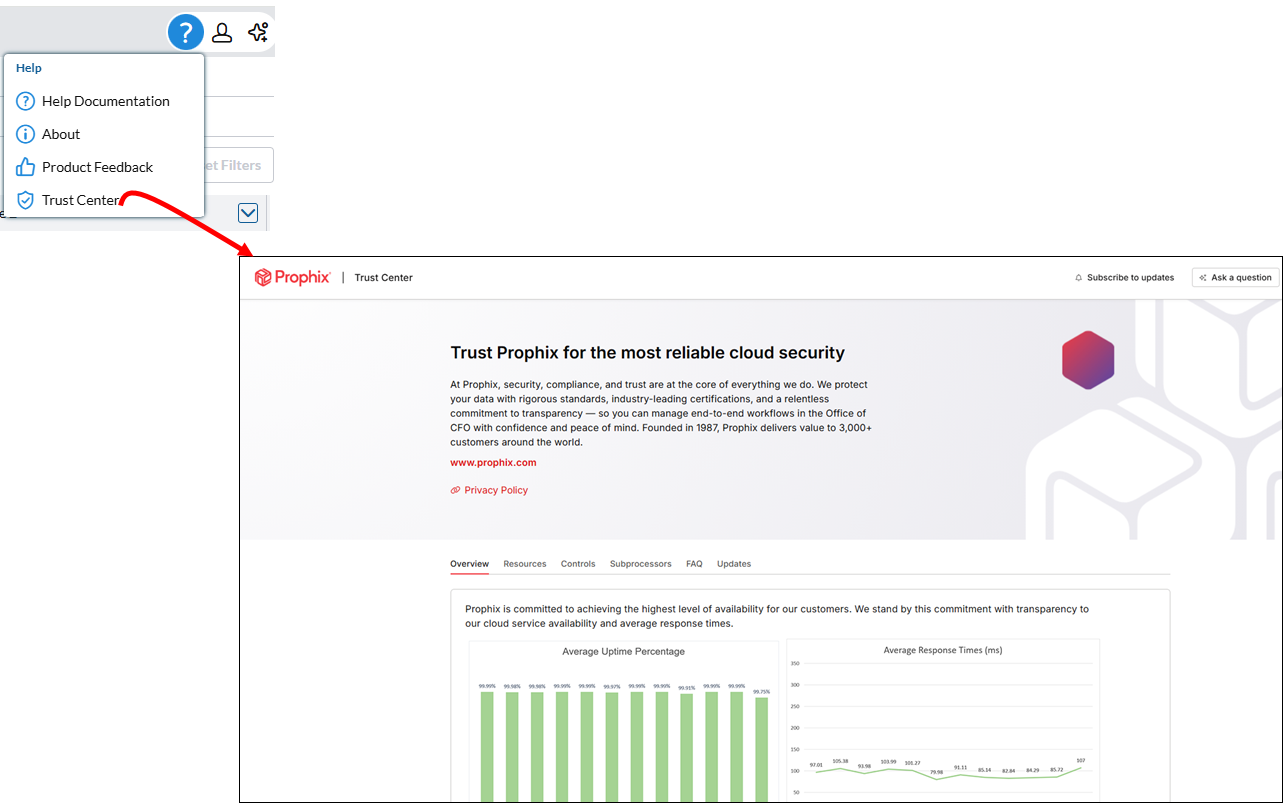
Clients can now access our organization's security, privacy, and compliance information. Click Trust Center in the Help menu to view this information.
Transaction Set moved to Import Data
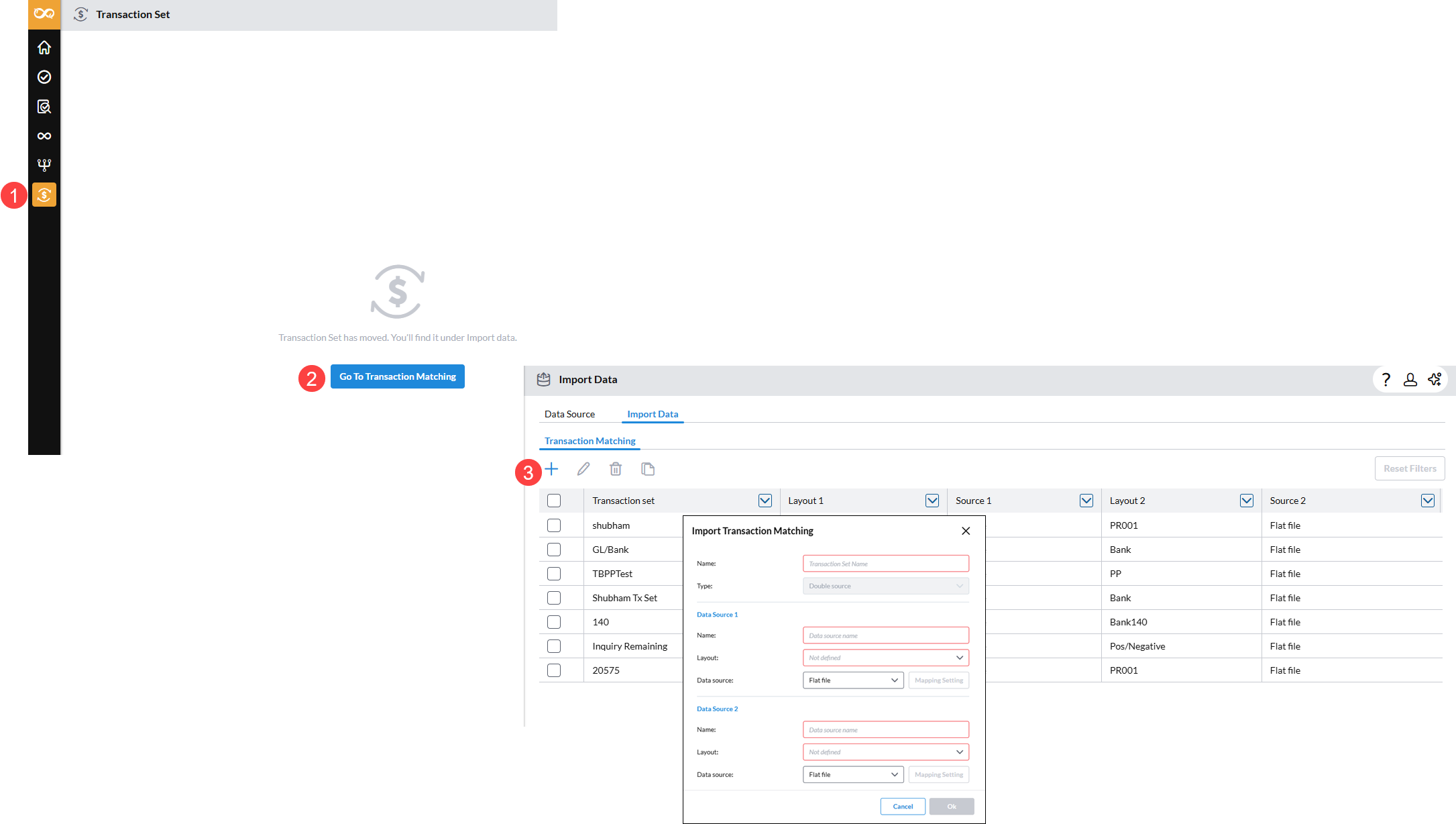
This update improves workflow by consolidating transaction management under the Import Data page. Previously, transaction sets were created and maintained on the Transaction Set page. Now, users can add and manage transaction sets from the Transaction Matching tab within Import Data.
To add a transaction set, go to Transaction Set and click  to open the Import Data page.
Auto match for Data Integration imports
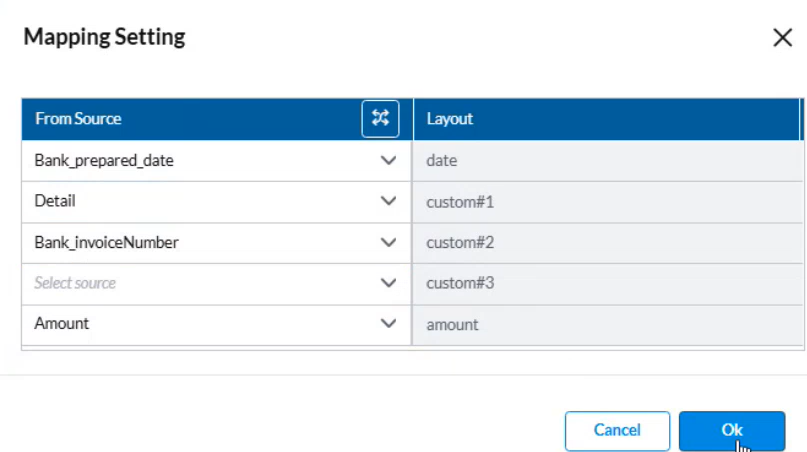
This update enhances the setup process for Transaction Matching when importing data through Data Integration. In the Mapping Settings section, a Global Admin can now use the Auto match  feature to automatically map source column headers to layout fields. The system compares columns from the data source with layout fields and links those with the closest matching names (for example, Date and Amount). Any fields without a close match remain unmapped and must be mapped manually,
For more information on data import with data integration, refer to Set up data imports from Data Integration.
Automatic task status updates for Account Groups after GL balance import
Previously, when a GL balance was re-imported after a task was marked as Completed, the task status remained Completed even if the new balance differed from the previously reconciled balance.
With this enhancement, the system now automatically updates the task status to In Progress whenever a change is detected in the imported GL balance.
This improvement extends the existing logic already available for individual accounts to Account Groups
For example: A customer reconciles an account group with a GL balance of $1100 and marks the task as Completed. Later, when a new GL balance of $1110 is imported (difference of $10), the system detects the change and automatically reopens the task, setting its status to In Progress.
Account Group balance calculation aligned with natural balance type
Account Group balances are now calculated based on the parent group’s natural balance type: Credit, Debit, or None.
-
For Debit groups: balance = Debit – Credit
-
For Credit groups: balance = Credit – Debit
-
For None groups: all child balances are summed
Note: Child accounts with a natural balance type of None inherit the parent group’s type.
This enhancement replaces the previous simple sum calculation and ensures consistency with accounting principles, and improves accuracy and consistency of consolidated account group balances.
For details, see Natural balance types for account groups in the Account Groups article.
Resolved issues
The following are the issues we resolved in this release:
| Resolved | Ticket Number | Area | Description |
|---|---|---|---|
| November | 205597 | Period Setup |
Creating a new period with rollover from a previous period containing large data was not successful. |
Known issues
No known issues included in this release.