Release Notes
2025.10.0
October 2025
Release notes describe the enhancements and bug fixes contained in new releases and maintenance releases.
Tip: To find the release note that contains a specific issue, search on the Prophix Support Desk ticket number.
What’s new
Import transactions from Data Integration
You can now import transaction data directly from your ERP, general ledger (GL), or bank using Data Integration (DI). This removes the need for flat file uploads and makes transaction matching faster and easier.
-
Transaction Matching tasks execute import jobs directly from the staging database.
-
Users receive clear validation messages when transactions fail to import, making it easier to identify and correct data issues.
For details, refer to Import transactions from Data Integration.
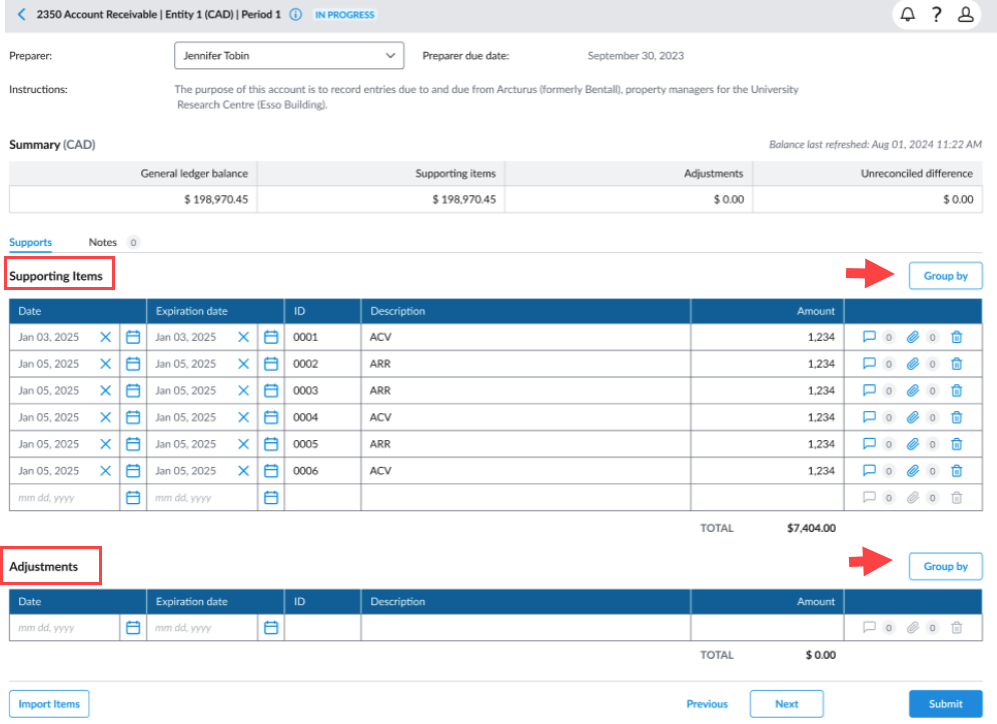
Group adjustments and supporting items by date or description
Users can now use the Group By button to organize adjustments and supporting items by Date or Description. This feature provides a clearer breakdown of amounts by key categories, making it easier to review and identify totals for invoices, expenses, and other supporting items.
When you group by Date or Description, the system automatically combines items with matching values and displays a single total for each group.
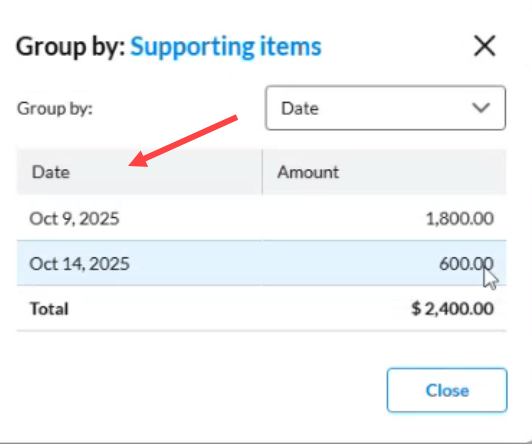
For more information, refer to the Group Adjustments/Supporting Items section of the Reconcile accounts article.
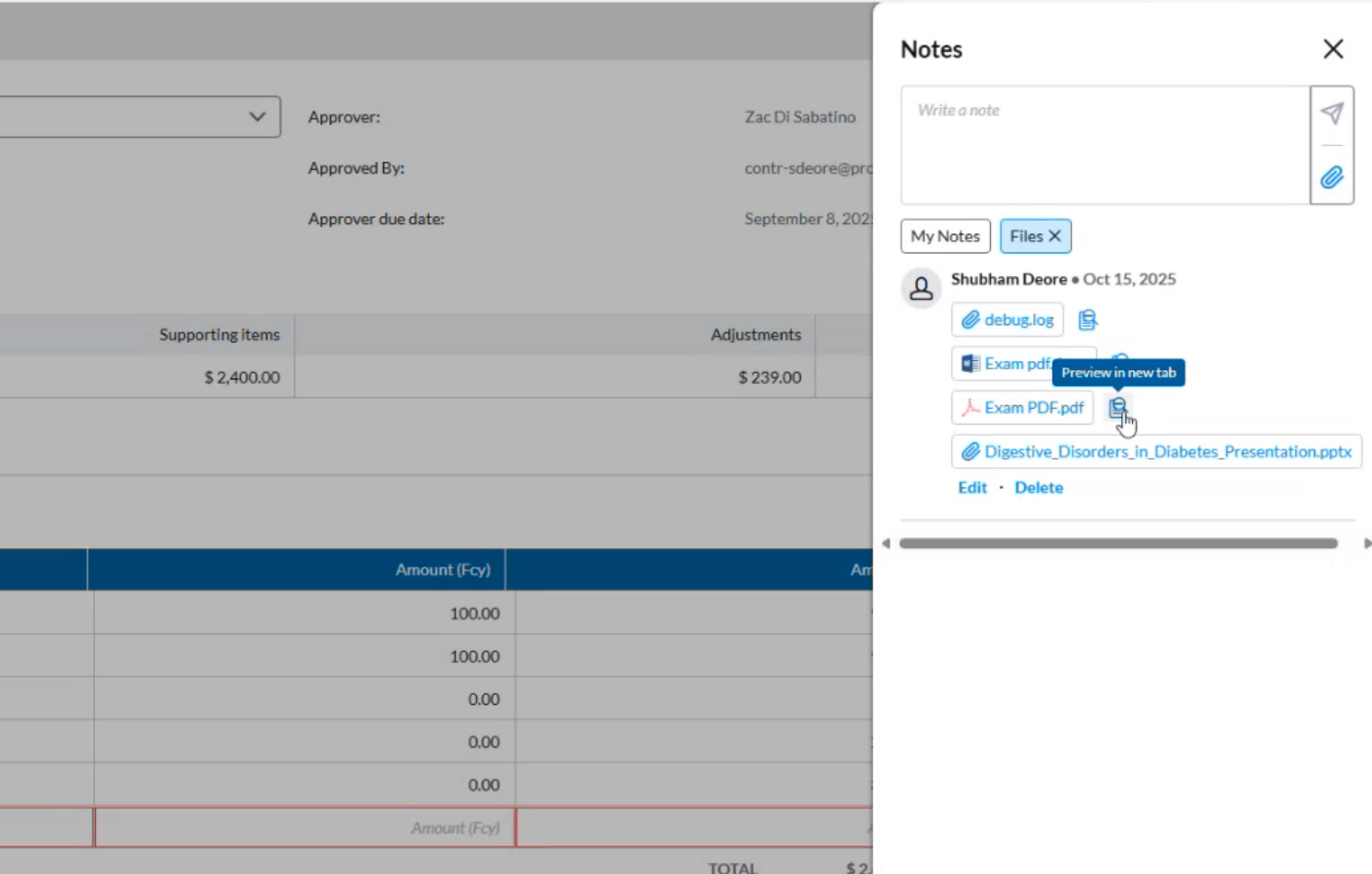
Preview attachments
With the new Preview feature, users can open attachments directly from the reconciliation page without downloading them. This allows for quick verification of supporting documents while reviewing reconciliations.
Supported file formats include PDF and image files. Unsupported formats, such as PPT, will display a message indicating that preview is not available.
Summary workflow email notifications
Administrators can configure automated email summaries for stakeholders. They can define how often these notifications are sent, for example, daily, on specific days, or weekly.
Once summarized email notifications is scheduled, per-event (instant) emails are suppressed. Users receive the consolidated summaries on the defined cadence and days.
See Set up summary workflow email notifications in the Add and manage workflows article.
Persistent filters during page navigation
Previously, when navigating between My Task and Task Details on the Close Management Home page, selected options such as entity or period were not retained. This issue has been resolved, and the selected filters now remain in place when switching between these pages.
Additional European display currencies
Display currencies for several European countries have been added to enable financial values to be presented in reports and other views within the application. A display currency determines how data is shown to users. It does not affect the underlying data values but ensures a consistent currency view across pages and reports, especially when working with multiple currencies.
| Country /Currency | Symbol |
|---|---|
| ALBANIA (ALL) | L |
| ARMENIA (AMD) | ֏ |
| AZERBAIJAN (AZN) | ₼ |
| BELARUS (BYN) | Rbl |
| BOSNIA AND HERZEGOVINA (BAM) | KM |
| BULGARIA (BGN) | лв. |
| GEORGIA (GEL) | ₾ |
| HUNGARY (HUF) | Ft. |
| ICELAND (ISK) | kr. |
| MOLDOVA (MDL) | L |
| NORTH MACEDONIA (MKD) | DEN |
| POLAND (PLN) | zł |
| ROMANIA (RON) | lei |
| RUSSIA (RUB) | ₽ |
| SERBIA (RSD) | DIN |
| SWEDEN (SEK) | kr. |
| TURKEY (TRY) | ₺ |
| UKRAINE (UAH) | ₴ |
Resolved issues
The following are the issues we resolved in this release:
| Resolved | Ticket Number | Area | Description |
|---|---|---|---|
| October | 198507 | Rollforward Balance | Rollforward balances displayed unexpected values even when no rollforward items were added. |
| 201261 | Add New Period | Creating a new period failed when the Start Date was modified. The process stopped without displaying an error message. |
Known issues
No known issues included in this release.