Release Notes
2025.12.0
December 2025
Release notes describe the enhancements and bug fixes contained in new releases and maintenance releases.
Tip: To find the release note that contains a specific issue, search on the Prophix Support Desk ticket number.
What’s new
Import Supporting Items from a Data Source
This enhancement introduces the ability to bulk-import Supporting Items directly from a data source, eliminating the need to manually enter items one account at a time.
-
Global Admins can now pull supporting item data from a defined data source and import tens of thousands of records in a single action.
-
Supporting items can be imported for individual Accounts or Account Groups.
-
Items can be imported when the individual account's status is Not Started, In Progress, Pending Approval.
-
The import process is optimized for scale, ensuring smooth processing of large files.
For more information, refer to Import support items from DI.
Reconcile against Change (Accounts & Account Groups)
We have expanded the Reconcile against Change (RAC) model to support both Accounts and Account Groups, enabling reconciliation based on period-over-period movement rather than relying on a single balance figure. This enhancement provides clearer insight into changes across periods and ensures preparers and approvers can justify movement using supporting items and adjustments.
-
Accounts and Account Groups can now use the Reconcile Against Change policy.
-
Tasks display Starting balance, Ending balance, and Change, replacing the single GL balance for this policy.
-
Unreconciled difference is now calculated using:
Change − (Supporting Items + Adjustments).
-
Automatic recalculation occurs whenever:
-
Prior-period balances change
-
Current-period balances change
-
Supporting items or adjustments are added or updated
-
-
Negative values are displayed in parentheses for clarity.
-
Audit logs capture reconciliation policy changes.
-
Member-level details for Account Groups show each account’s movement, with totals rolling up to the group.
What’s unchanged
-
Import Balance and Transaction Matching continue operating with their existing balance and difference calculations.
-
For Transaction Matching, the Change field remains intentionally blank.
-
Statuses, attachments, and notes are unaffected.
New Change column added for Reconcile Against Change policy
A new Change column is now available to support the Reconcile Against Change (RAC) policy. Users can turn this column on or off as needed. This helps reduce clutter when the column isn’t required and makes wide grids easier to read.
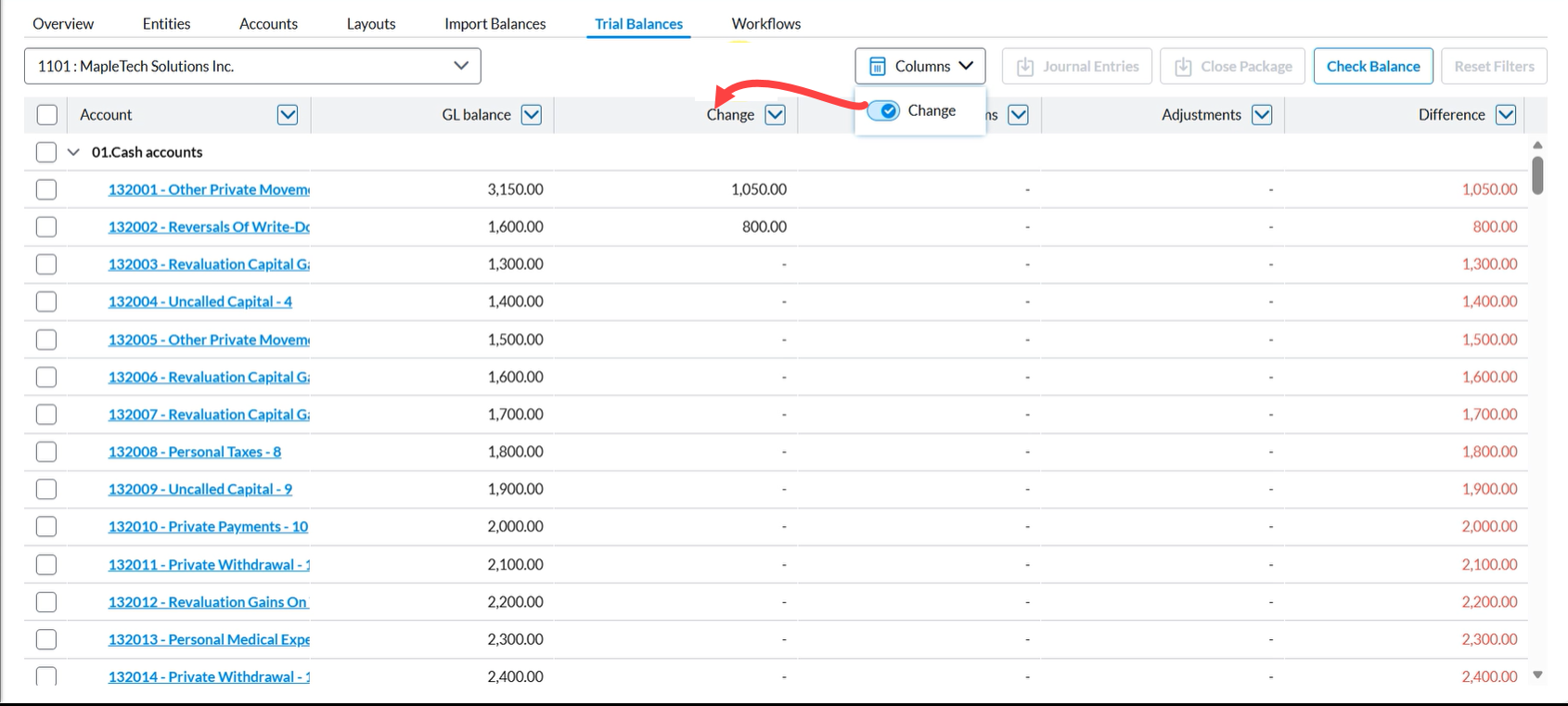
Change column availability
The Change column is displayed only when at least one account or account group in the period is assigned the Reconcile Against Change (RAC) policy. When applicable, the column appears on:
-
Close Management Home > My Tasks > Account Reconciliation tab
-
Account Reconciliation Details page
-
Trial Balance page
Resolved issues
The following are the issues we resolved in this release:
| Resolved | Ticket Number | Area | Description |
|---|---|---|---|
| December | 208525 | GL Balance | The GL Balance Refresh Timestamp, which should appear in the Account Reconciliation task, was not working. The timestamp did not display as expected. |
Known issues
No known issues included in this release.